Schritt-für-Schritt-Anleitung: So nutzen Sie SAM Audio für die Audiotrennung
30. Jan. 2026
 James Ding, ML Engineer
SAM Audio, basierend auf Metas Segment Anything Audio-Paradigma, zeichnet sich als leistungsstarke Lösung zur Audiotrennung aus, die Nutzern eine beispiellose Kontrolle über die Isolierung von Klängen bietet. Egal, ob Sie Musiker, Podcast-Ersteller, Video-Editor oder einfach nur neugierig auf AI-Audio-Tools sind – zu lernen, wie man SAM Audio für die Audiotrennung nutzt, ist ein echter Game-Changer.
Wir werden untersuchen, was das SAM Audio Modell ist, warum es die Audiobearbeitung neu definiert und wie Sie es von Anfang bis Ende einsetzen, um Gesang, Instrumente, Sprache oder jeden Klang, den Sie beschreiben können, zu isolieren.
Was ist das SAM Audio Modell?
Das SAM Audio Modell, kurz für „Segment Anything Audio“, ist ein hochmodernes AI-Foundation-Modell, das entwickelt wurde, um eine flexible Trennung von Audioquellen basierend auf intuitiven Prompts statt nur auf festen Kategorien durchzuführen. Die zugrunde liegende Philosophie überträgt dieselbe Spitzenforschung, die das visuelle Segment Anything Model (SAM) antreibt, auf den Audiobereich. Im Gegensatz zu herkömmlichen Trennungstools, die Audio in starre Komponenten wie Gesang vs. Instrumental unterteilen, ermöglicht das SAM Audio Modell die Isolierung jedes beliebigen Klangs, den Sie beschreiben.
SAM Audio kombiniert natürliches Sprachverständnis, visuelle Hinweise und zeitliches Bewusstsein, um Audio auf eine Weise zu segmentieren, die bisher nur durch manuelle Bearbeitung möglich war. Das bedeutet, dass Sie alles extrahieren können – von einem Gitarrensolo in einem komplexen Live-Track bis hin zum Geräusch von Fußschritten, die tief im Umgebungslärm vergraben sind – und das alles mit einem einzigen Prompt. Sam Audio
Warum die Audiotrennung mit SAM Audio revolutionär ist
Der Aufstieg der AI-Audiotrennung verändert die Art und Weise, wie wir Medien bearbeiten. Mit Tools wie SAM Audio können Sie künstliche Intelligenz nutzen, um nicht nur technische Aufgaben zu erledigen, sondern auch die Absicht des Nutzers durch natürliche Prompts zu verstehen.
Hier sind einige Gründe, warum SAM Audio so schnell Aufmerksamkeit erregt:
Flexible Prompting-Optionen
-
Text-Prompts: Beschreiben Sie, was Sie isoliert haben möchten, zum Beispiel „Gesang“, „Synth-Lead“ oder „Vogelgezwitscher“. Sam Audio
-
Visuelle Prompts: Wenn das Audio aus einem Video stammt, können Sie oft auf das Objekt klicken, das den Ton erzeugt, um das Modell zu steuern. Sam Audio
-
Zeitliche Prompts: Markieren Sie ein Zeitsegment, um dem Modell genau zu zeigen, wann der Ton erscheint. Sam Audio
-
Diese multimodale Prompting-Flexibilität ermöglicht es SAM Audio, ältere Tools zu übertreffen, die auf feste Stems wie Gesang, Schlagzeug, Bass und andere beschränkt sind. Sam Audio
Schritt-für-Schritt-Anleitung: So nutzen Sie SAM Audio für die Audiotrennung
Nachdem wir geklärt haben, was das SAM Audio Modell ist und warum es so bedeutend ist, tauchen wir nun Schritt für Schritt darin ein, wie Sie es tatsächlich nutzen können, um jeden gewünschten Klang zu isolieren.
Schritt 1: Zugriff auf eine SAM Audio Benutzeroberfläche
Je nach Ihrem Workflow können Sie auf das SAM Audio Modell zugreifen über:
-
Fish Audio – wo Sie die AI-gestützte Audiotrennung ausprobieren können, indem Sie einfach eine Audiodatei hochladen: SAM Audio
-
Offizielle SAM Audio Playgrounds oder Demos, mit denen Sie Dateien hochladen und mit dem Segment Anything Audio Modell experimentieren können: SAM Audio
-
Lokale oder Entwickler-Installationen, wenn Sie das SAM Audio Modell in benutzerdefinierte Workflows integrieren möchten. SAM Audio
Wählen Sie die Version, die am besten zu Ihren Fähigkeiten passt. Für Anfänger sind Online-Browser-Tools in der Regel der einfachste Weg.
Schritt 2: Laden Sie Ihre Audio- oder Videodatei hoch
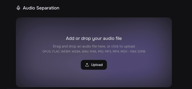
Sobald Sie sich auf einer SAM Audio Benutzeroberfläche befinden:
-
Klicken Sie auf „Upload“ und wählen Sie Ihre Audio- oder Videodatei aus (.MP3, .WAV, .MP4, etc.).
-
Achten Sie darauf, dass die Audioqualität angemessen ist. Klarere Aufnahmen führen in der Regel zu saubereren Trennungen.
In diesem Stadium ist die Audiodatei bereit für die AI-Verarbeitung, egal ob Sie eine Podcast-Stimme isolieren oder Instrumentenspuren extrahieren möchten.
Schritt 3: Wählen Sie Ihren Prompt-Typ
Hier geschieht die Magie des Segment Anything Audio Modells:
Text-Prompting:
Beschreiben Sie den Klang, den Sie isolieren möchten. Beispiele sind:
-
„Hauptgesang trennen“
-
„Becken isolieren“
-
„Hintergrundverkehrslärm entfernen“
Text-Prompts sind ideal für Nutzer, die eine natürliche oder intuitive Art suchen, dem Modell mitzuteilen, was getrennt werden soll. Visuelles Prompting: Wenn Ihr Audio mit einem Video verknüpft ist, klicken Sie auf die Schallquelle, wie einen Sprecher oder Performer, und SAM Audio nutzt den visuellen Kontext zur Steuerung der Trennung.
Zeitliches Prompting:
-
Wählen Sie einen Zeitbereich aus, in dem der Zielklang prominent ist, und lassen Sie SAM Audio diesen über den gesamten Track verallgemeinern.
-
Jeder Modus ermöglicht es Ihnen, den gewünschten Klang präzise zu bestimmen. Sie können sogar Prompts für schwierige Audioszenarien kombinieren.
Schritt 4: Starten Sie die Trennung
Sobald Sie Ihren Prompt festgelegt haben:
-
Klicken Sie auf die Schaltfläche „Process“ oder „Separate“.
-
Die AI durchläuft das SAM Audio Modell, analysiert Ihren Prompt und das Audio, um den Zielklang zu isolieren.
-
Die Verarbeitungszeiten variieren je nach Dateigröße, Prompt-Komplexität und Servergeschwindigkeit, aber viele Web-Implementierungen sind für eine schnelle Verarbeitung optimiert.
Schritt 5: Vorschau und Verfeinerung
Nach der Verarbeitung wird Ihnen Folgendes angezeigt:
-
Die isolierte Tonspur
-
Das Residuum (alles andere) separat
-
Spielen Sie beide Spuren ab, um sicherzustellen, dass die Trennung Ihren Erwartungen entspricht.
Wenn das Ergebnis nicht perfekt ist:
-
Verfeinern Sie Ihren Text-Prompt mit spezifischeren Formulierungen.
-
Grenzen Sie die Zeitspanne beim zeitlichen Prompting enger ein.
-
Versuchen Sie eine Kombination verschiedener Prompt-Typen.
-
Iterationen sind Teil des kreativen Prozesses, und das SAM Audio Modell ist darauf ausgelegt, gut auf Verfeinerungen zu reagieren.
Schritt 6: Exportieren Sie Ihr getrenntes Audio
Zufrieden mit dem Ergebnis? Klicken Sie auf „Download“, um Ihre isolierte Spur im gewünschten Format zu exportieren.
Nun können Sie:
-
Eine Gesangslinie remixen
-
Sprache für Podcasts verbessern
-
Unerwünschte Geräusche aus Videoclips entfernen
-
Kreative AI-Voice-Integrationen erstellen
Die Studioqualität von SAM Audio bietet Ihnen professionelle Trennung ohne manuelle Technik oder eine Grafik-Suite.
🎧 Praktische Anwendungsfälle für die Audiotrennung mit SAM Audio
Hier sind einige beeindruckende Möglichkeiten, wie Creator das SAM Audio Modell heute einsetzen:
🎵 Musikproduktion & Remixing
Extrahieren Sie einzelne Instrumentenspuren zum Remixen, Samplen oder zum Üben mit isolierten Stems.
🎙️ Podcast-Bereinigung
Isolieren Sie Sprache von Lärm, um die Klarheit vor der Transkription oder Veröffentlichung zu erhöhen.
🎬 Video-Postproduktion
Entfernen Sie störende Hintergrundgeräusche oder isolieren Sie spezifische Audioelemente für ein saubereres Sequencing.
🧠 Sounddesign & SFX-Erstellung
Trennen und verwenden Sie interessante Audiostücke wie Fußschritte, Motoren oder Vogelstimmen in anderen kreativen Projekten wieder.
📚 Transkription & Barrierefreiheit
Sauberes Audio führt zu besseren Text-to-Speech- und Speech-to-Text-Pipelines und verbessert so die Barrierefreiheit. In Kombination mit anderen AI-Funktionen wie Voice Generator oder AI Voice Cloning können Sie aus getrennten Quellspuren fesselnde Multimedia-Erlebnisse erstellen – sei es zur Generierung von Kommentaren oder zur Erstellung hybrider Soundscapes.
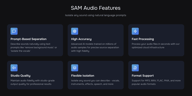
SAM Audio im Vergleich zu herkömmlichen Trennungstools
Herkömmliche Audiotrennungstools wie Spleeter und Demucs werden seit Jahren viel genutzt, insbesondere für grundlegende Aufgaben wie die Trennung von Gesang und Instrumentalen. Obwohl diese Tools hilfreich sind, basieren sie auf festen Kategorien und vordefinierten Stems, was die kreative Flexibilität einschränken kann.
Das SAM Audio Modell, angetrieben von Segment Anything Audio, verfolgt einen grundlegend anderen Ansatz. Anstatt die Nutzer auf eine kleine Auswahl an Ausgaben zu beschränken, ermöglicht die Audiotrennung mit SAM Audio die Isolierung praktisch jedes Klangs mittels intuitiver Prompts. Sie sind nicht auf „Gesang“ oder „Schlagzeug“ limitiert. Sie können Hintergrundgeräusche, spezifische Instrumente, Soundeffekte oder sogar subtile Details anvisieren, die herkömmliche Tools schlichtweg nicht identifizieren können.
Ein weiterer großer Vorteil ist das Prompting. Im Gegensatz zu älteren Tools unterstützt SAM Audio Text-Prompts, sodass Sie den gewünschten Klang in natürlicher Sprache beschreiben können. In videobasierten Workflows bieten visuelle und zeitliche Prompts noch mehr Präzision, da das Modell versteht, wo und wann ein Klang auftritt. Dies führt zu saubereren Trennungen und weitaus mehr Kontrolle über das Endergebnis.
Insgesamt beseitigt das SAM Audio Modell viele der Einschränkungen herkömmlicher Trennungstools. Der Workflow fühlt sich intuitiver, kreativer und besser geeignet für die moderne AI-gestützte Bearbeitung an – insbesondere für Creator, die heutzutage mit Musik, Podcasts, Videoproduktion, AI Voice und Text-to-Speech-Pipelines arbeiten.
Tipps für beste Ergebnisse
Um die Wirkung der Audiotrennung mit SAM Audio zu maximieren:
-
Nutzen Sie spezifische statt vage Text-Prompts.
-
Beginnen Sie, wenn möglich, mit sauberen Aufnahmen.
-
Iterieren Sie mit mehreren Prompts für vielschichtige Mixe.
-
Kombinieren Sie die AI-Trennung mit Ihrer bevorzugten DAW für die weitere Bearbeitung.
Fazit
Das SAM Audio Modell schlägt ein neues Kapitel in der AI-gestützten Audiobearbeitung auf. Durch den Einsatz der Segment Anything Audio Technologie haben Creator nun einen einfachen, leistungsstarken Weg, jeden Klang zu isolieren, den sie beschreiben können – allein durch Sprache, visuelle Hinweise oder Zeitangaben.
Vom Extrahieren von Gesang in Minuten bis hin zur Verbesserung der Sprachverständlichkeit definiert die Audiotrennung mit SAM Audio Workflows in der Musikproduktion, Podcast-Bearbeitung, Video-Postproduktion und darüber hinaus neu. Während sich die AI weiterentwickelt, rücken Tools wie SAM Audio professionelle Ergebnisse in die Reichweite von jedem, ohne dass komplexe Softwarekenntnisse erforderlich sind.
Egal, ob Sie gerade erst anfangen oder intelligente Audiotrennung in Ihre Produktionspipeline integrieren möchten: Zu lernen, wie man SAM Audio Schritt für Schritt nutzt, ist eine Fähigkeit, die sich auszahlt.