How to Use Free Video Maker Templates

Creating professional-quality videos no longer requires complex software or professional editing skills. With a video maker template, you can quickly build engaging content using an online AI video maker or a powerful AI video studio.
Whether you're producing videos for social media, marketing campaigns, or business presentations, free templates combined with AI tools make the process fast, simple, and cost-effective.
In this guide, you’ll learn exactly how to choose, customize, and export free video templates the right way.
What Is a Video Maker Template Free Option?
A video maker template free solution is a ready-made video layout designed to help users create professional content without starting from scratch.
Most templates include:
-
Pre-designed scenes
-
Animated text elements
-
Built-in transitions
-
Placeholder images or video clips
-
Pre-set timing and pacing
Instead of building a video frame by frame, you simply swap in your own content while keeping the polished structure intact.
Modern online AI video maker platforms go a step further by integrating automation features that streamline editing even more.
Step 1: Choose the Right Template Format
Selecting the correct format is the foundation of a successful video.
Pick the Publishing Platform First
Different platforms require different aspect ratios:
-
Instagram Reels / TikTok – Vertical (9:16)
-
YouTube – Horizontal (16:9)
-
Facebook – Square (1:1) or Landscape (16:9)
-
LinkedIn – Typically landscape
Choosing the right size ensures your video maker template free matches platform requirements and prevents cropping issues.
Filter by Style or Industry
Most online AI video maker tools allow you to search by theme or niche. Try keywords like:
-
Product promotion
-
Real estate showcase
-
Fitness motivation
-
Business explainer
-
Educational content
This makes it easier to find a template that aligns with your goals.
Preview Before You Commit
Always preview the template animation. Pay attention to:
-
Scene pacing
-
Text timing
-
Transition flow
A quick preview helps you visualize the final result before investing time in edits.
Step 2: Replace Media and Edit Text
After selecting your template, it’s time to personalize it.
Upload Your Images and Videos
Most AI platforms allow drag-and-drop uploads. Replace placeholders with:
-
Product photos
-
Brand visuals
-
Background footage
-
Demo clips
An advanced AI video studio automatically resizes and aligns media within the template frames, saving manual adjustment time.
Edit Text Elements
Click on text boxes to update:
-
Headlines
-
Subtitles
-
Calls-to-action
You can typically customize:
-
Font style
-
Color scheme
-
Text size
-
Animation effects
Many platforms include brand kits so your fonts and colors stay consistent across all projects.
Step 3: Apply Branding and Colors
To make your video look fully custom:
-
Upload your company logo
-
Apply your brand color palette
-
Adjust overlays and backgrounds
-
Match fonts to your website or marketing materials
A good online AI video maker often includes one-click brand application features that instantly update the entire template with your style settings.
Step 4: Add Audio and Voiceover
Strong audio dramatically improves viewer engagement.
Add Background Music
Most tools include royalty-free music libraries. Choose tracks based on your goal:
-
Upbeat for ads
-
Calm for tutorials
-
Energetic for fitness or promotional content
Generate AI Voiceovers
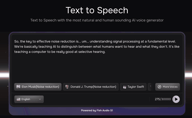
Modern AI video studio platforms allow automatic voiceover generation. Some systems integrate advanced voice technology like Fish Audio , which delivers natural-sounding, expressive narration without hiring voice actors.
With AI voice tools, you can:
-
Paste your script
-
Select tone and style
-
Choose language or accent
-
Adjust pacing and emphasis
Adding professional narration transforms a basic video maker template free into a high-impact production.
Step 5: Enhance With AI-Powered Features
Today’s online AI video maker platforms include intelligent tools that go beyond basic editing.
Look for features such as:
-
Auto-generated captions
-
Smart scene timing optimization
-
Text-to-video conversion
-
Automatic highlight detection
-
Beat synchronization with music
These AI capabilities turn a simple template into a polished, performance-ready video.
Step 6: Preview and Export
Before exporting your final video:
-
Watch it from beginning to end
-
Check text accuracy
-
Confirm transitions are smooth
-
Verify branding consistency
-
Ensure audio levels are balanced
-
Once satisfied, export your video as an MP4 file in high resolution.
⚠️ Keep in mind: Some platforms may add a watermark if premium assets are used within a video maker template free plan.
Benefits of Using a Video Maker Template Free
1. Saves Time
Templates eliminate the need to design layouts manually.
2. Beginner-Friendly
Even users without editing experience can create professional videos.
3. Brand Consistency
An AI video studio ensures uniform fonts, colors, and layouts across projects.
4. Cost-Effective
Using a video maker template free plan reduces upfront production costs.
5. Scalable Content Creation
An online AI video maker allows you to produce multiple videos quickly for campaigns or social channels.
Who Should Use Free Video Maker Templates?
Free templates are ideal for:
-
Small business owners
-
Social media managers
-
Content creators
-
Marketing teams
-
Online course creators
-
Startups
If you need frequent, high-quality video content with fast turnaround times, an online AI video maker is one of the most efficient tools available.
Overall
Learning how to use an online ai video maker is one of the fastest ways to create professional video content without expensive software or advanced editing skills.
With today’s online AI video maker platforms and smart AI video studio features, including voice technologies like Fish Audio, you can produce polished, branded videos in minutes.

Kyle is a Founding Engineer at Fish Audio and UC Berkeley Computer Scientist and Physicist. He builds scalable voice systems and grew Fish into the #1 global AI text-to-speech platform. Outside of startups, he has climbed 1345 trees so far around the Bay Area. Find his irresistibly clouty thoughts on X at @kile_sway.
Mehr von Kyle Cui lesen